EDTECH

Mobile learning

Learning Blaster

Project Details

Company

Learning Blaster

Catogory

E-Learning

Timeline

3 Month

Tools Used

Figma

Regions

United States

Project Description

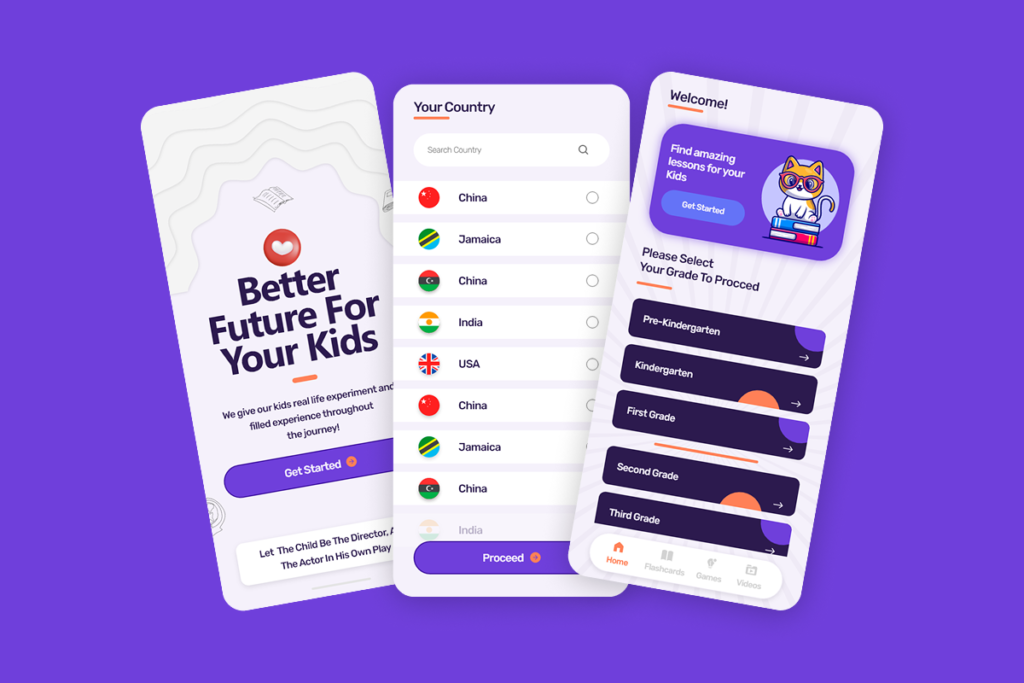
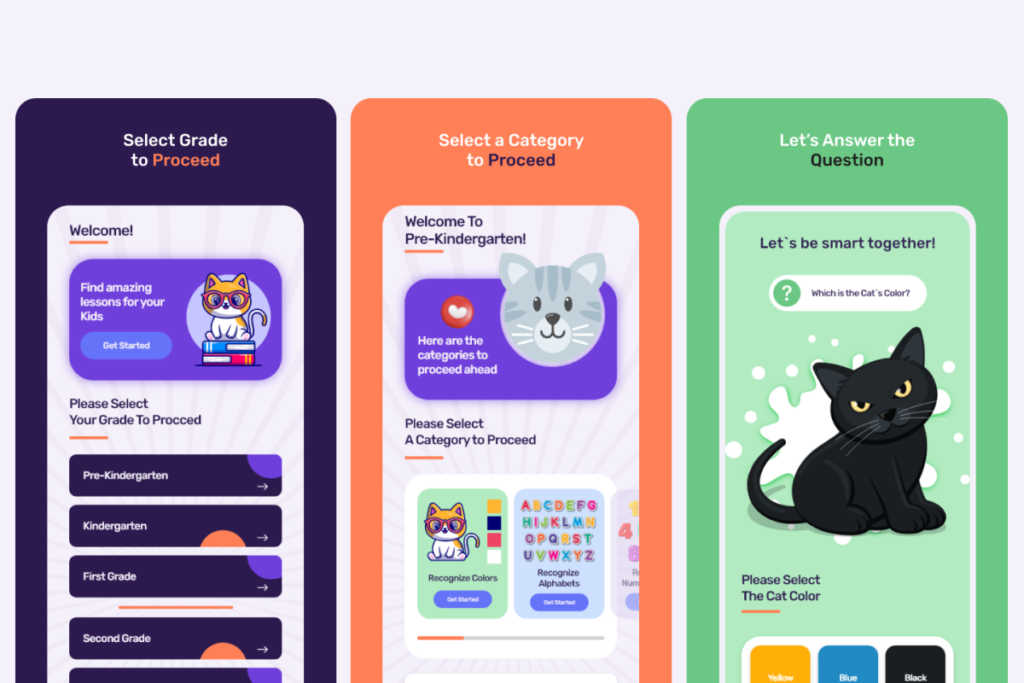
We designed an engaging and age-appropriate learning app that helps children discover lessons in a simple, structured, and enjoyable way. The product focuses on guiding young learners through grade-based content while providing parents with confidence in usability, clarity, and educational value.

The primary goal was to create a friendly digital environment that balances fun visuals with intuitive navigation, ensuring children can explore independently while maintaining a clear and organized learning flow.

Problems

Many educational apps struggle to balance engagement with usability, often overwhelming children with cluttered interfaces or confusing navigation. Parents also face uncertainty when apps lack clear grade segmentation or structured learning paths.

This project required addressing short attention spans, varying age groups, and the need for a visually appealing interface without sacrificing clarity or educational purpose.

The Challenges

Designing for children introduces unique challenges around cognition, accessibility, and interaction patterns. The experience needed to feel playful and welcoming while remaining easy to understand for young users.

We also needed to ensure that grade selection and content discovery were effortless, minimize reading complexity, and create a UI that supports independent use by children while still being intuitive for parents.

Solutions

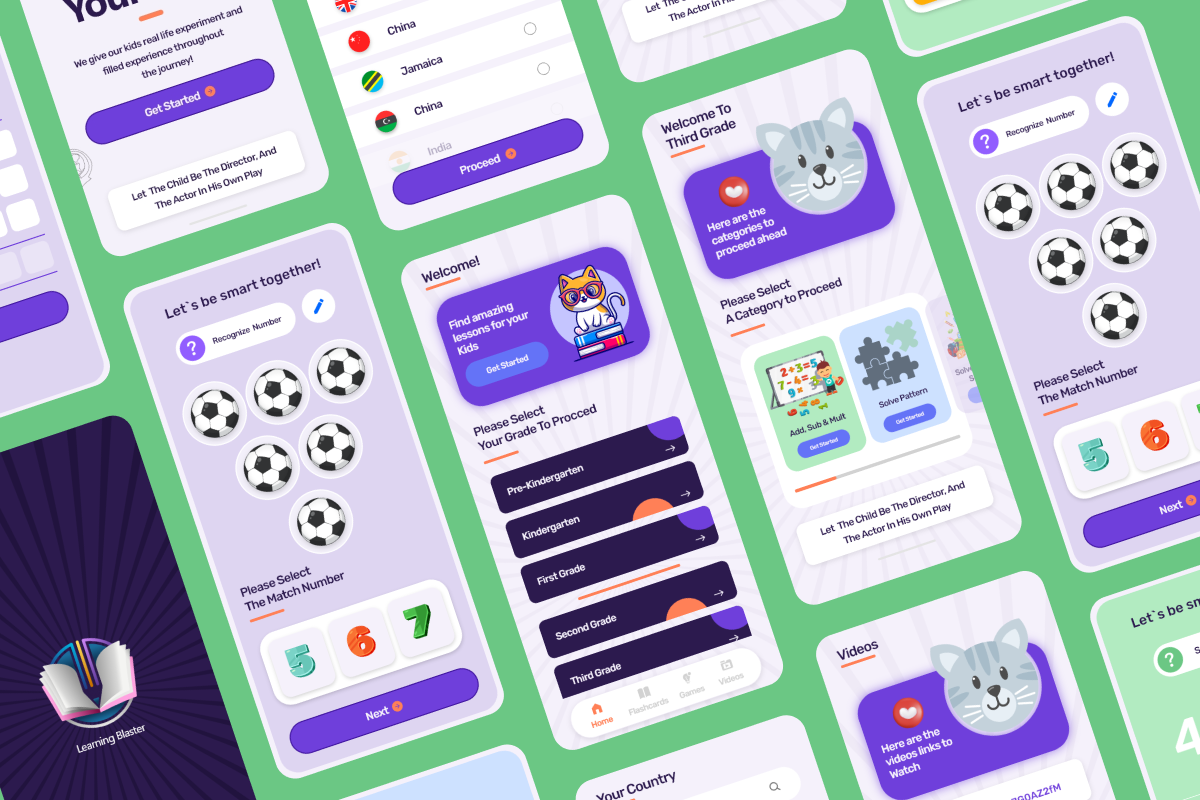
We created a clean, card-based interface that clearly separates grades and learning paths, making navigation simple and predictable. Friendly illustrations and bright accent colors were used to make the experience inviting without overstimulation.

Clear typography, generous spacing, and consistent visual patterns help children focus on content, while strong visual hierarchy guides them naturally through the app. The result is a balanced experience that encourages exploration while maintaining structure and clarity.

Style Guide

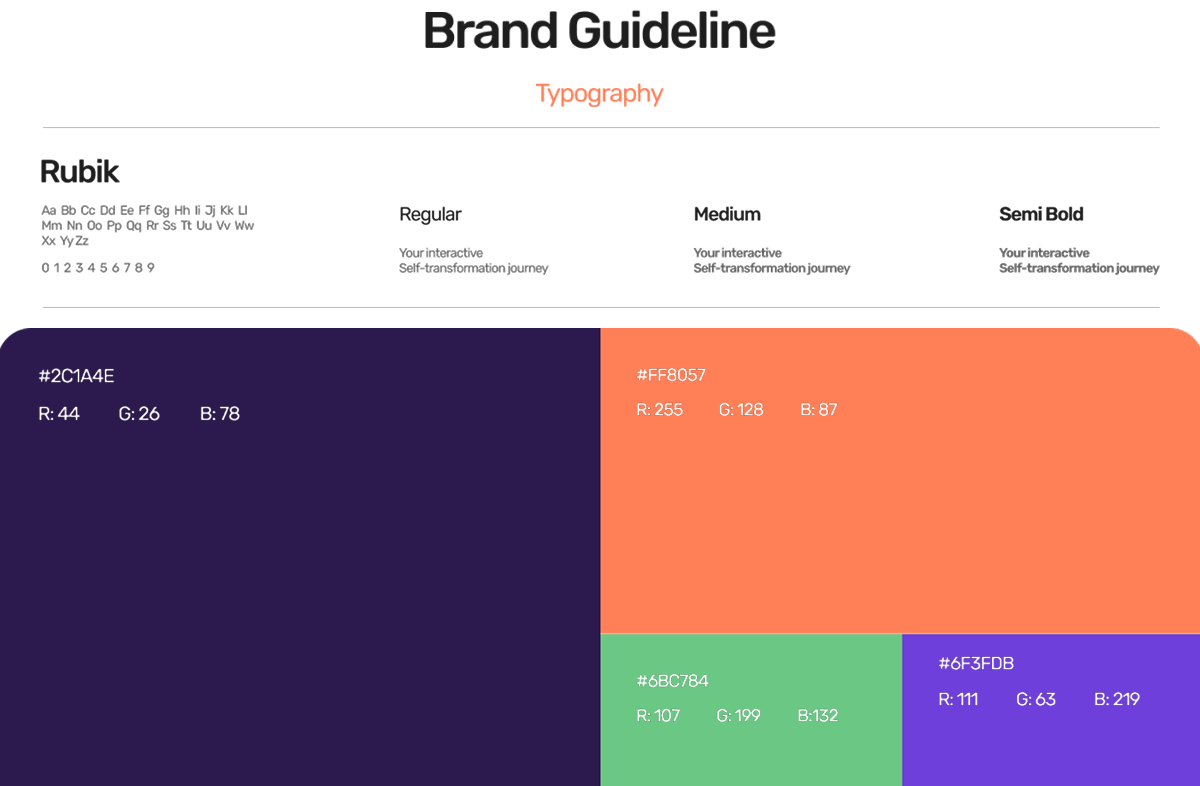
The visual style was designed to feel playful, safe, and educational. A soft purple base establishes a calm and friendly atmosphere, while orange accents add energy and highlight key interactions. Rounded cards and buttons reinforce approachability and ease of use.

Typography is bold and legible to support early readers, with clear contrast and spacing to improve readability. Illustrations and subtle background patterns add personality without distracting from the learning experience.

Core Features

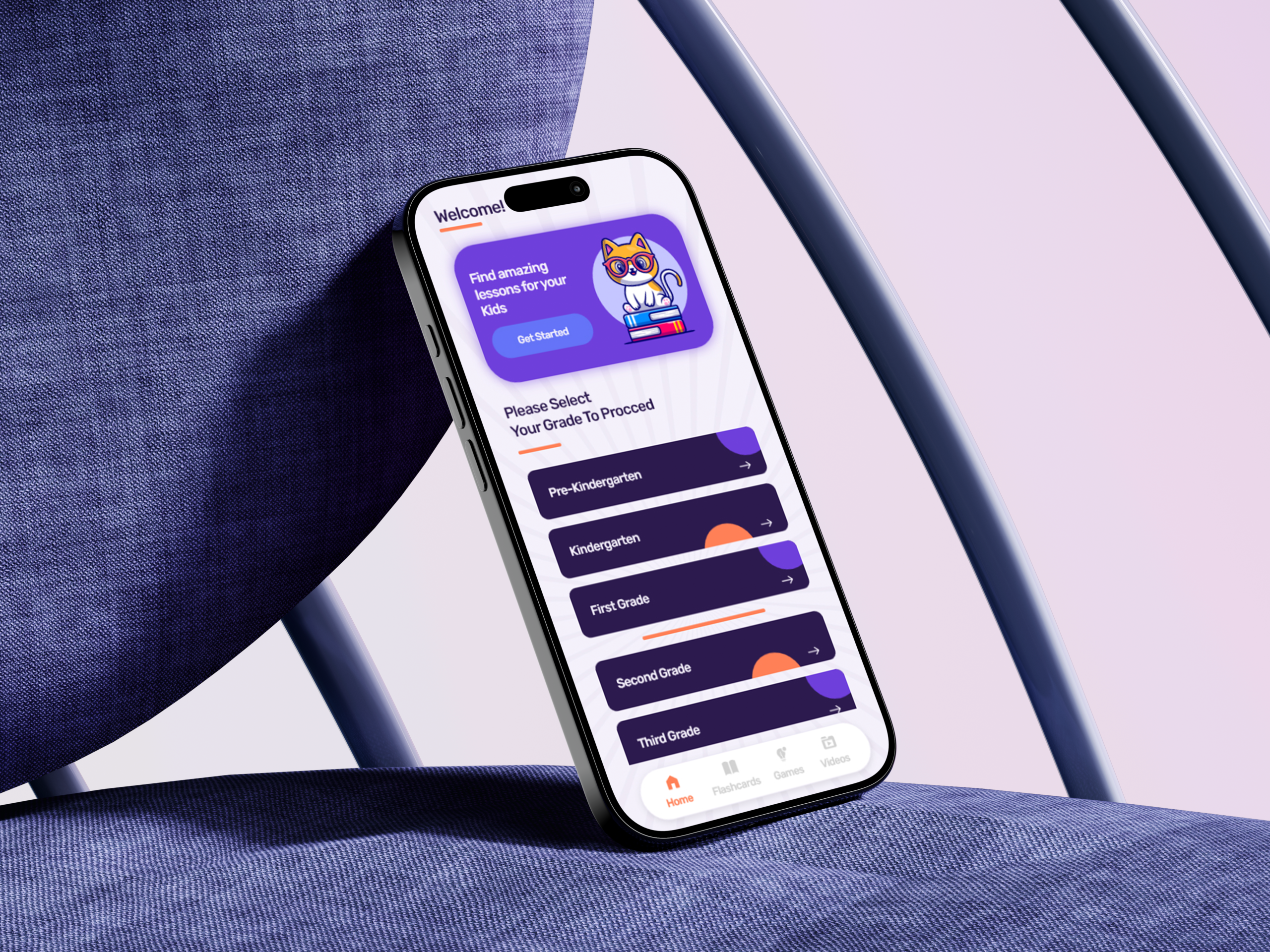
The app includes grade-based onboarding that allows users to quickly select their learning level and proceed with confidence. A simplified bottom navigation provides easy access to lessons, flashcards, games, and videos.

Visual cues, icons, and clear call-to-action buttons support independent navigation for children, while structured layouts ensure content remains organized and easy to follow across all age groups.

Working with Apex Soft Technologies was a seamless experience. The team quickly understood our goals and delivered a clear, modern, and conversion-focused website that communicates trust and transparency. Communication was excellent, timelines were met, and the final outcome exceeded our expectations. We’d gladly work with them again.
Xoliswa Kekana

Director at Learner Blaster

Request a Quote